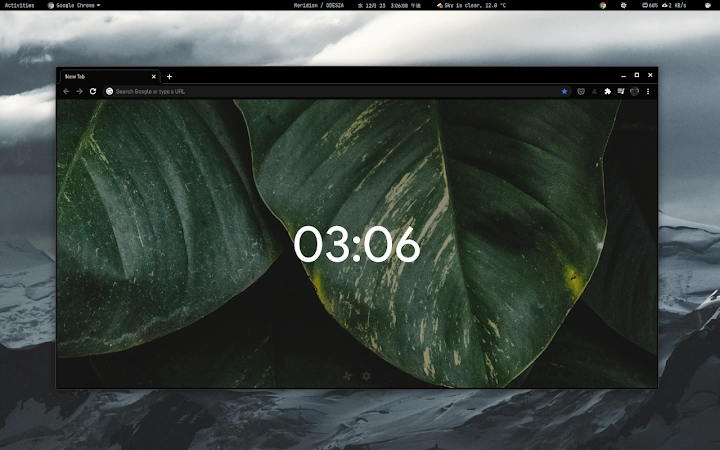

Ultra-Black Chrome Theme for OLED Screens
Overview
Void Theme is a minimalist browser extension designed to deliver a deep, true black interface across all surfaces of the Chrome browser. Built specifically for users seeking optimal visual comfort and screen performance, this theme leverages the full potential of OLED and AMOLED displays by rendering every element in pure #000000 black. This approach enhances contrast and reduces eye strain, particularly in low-light environments. The theme is ideal for professionals and casual users who prioritize a clean, distraction-free browsing experience.
Designed by @atulvinayak, Void Theme emphasizes simplicity and efficiency. Its absence of image-based assets ensures compatibility across all screen resolutions without scaling artifacts. The theme integrates seamlessly into the Chrome ecosystem, making it a practical choice for anyone looking to refine their browser’s appearance. Real-world usage scenarios include extended reading sessions, late-night browsing, and productivity workflows where visual clarity and minimalism are essential.
While the developer did not provide additional details about the theme’s background or development philosophy, its focus on legibility and performance on modern displays is evident. The theme is available at no cost, making it accessible to a broad audience seeking a high-contrast, dark interface without additional overhead.
Key Features & Capabilities
- True Black Interface – Every UI element is rendered in pure #000000, maximizing contrast and deep blacks on OLED and AMOLED screens.
- Image-Free Design – The theme uses no raster images, ensuring flawless scalability across all resolutions and display densities.
- Minimalist Aesthetic – Clean, uncluttered visuals reduce visual noise, improving focus and user comfort during extended use.
- Enhanced Legibility – Despite the dark background, text and icons maintain high clarity, supporting readability in various lighting conditions.
- Seamless Chrome Integration – Designed to work flawlessly within the Chrome browser environment, with no conflicts or performance degradation.
These features make Void Theme particularly effective for users who spend long hours in front of screens. For example, developers and writers can benefit from reduced eye fatigue during late-night coding or writing sessions. Similarly, users with OLED displays can expect improved battery efficiency due to the ability of OLED pixels to turn off completely when displaying black. The theme’s lightweight nature ensures it does not impact browser performance, making it suitable for both high-end and mid-tier systems.
User Interface, Workflow & Performance
The user interface of Void Theme is intentionally simple, applying a uniform black color scheme to all browser elements including tabs, address bar, and menu panels. Navigation remains consistent with standard Chrome behavior, ensuring users experience no learning curve. The theme does not alter core browser functionality, preserving the familiar workflow while enhancing visual appeal.
Workflow efficiency is maintained since the theme does not introduce additional menus, tools, or settings. Users can apply and remove the theme instantly through Chrome’s extension management page. The lack of visual distractions supports concentration, especially during tasks requiring sustained attention. Performance observations are based on general software behavior patterns, as the developer did not specify resource usage details. However, the image-free design and minimal codebase suggest low CPU and RAM consumption.
Stability is expected to be high, given the theme’s lightweight nature and direct integration with Chrome. No reports of crashes or conflicts were provided, but users are advised to check the official support tab for updates or issue resolution. The theme is designed to remain active across browser restarts without requiring reinstallation.
Compatibility & System Requirements
Void Theme is compatible with Chrome on Windows, Mac, and Linux operating systems. It is designed to work across a wide range of devices, from desktops to laptops and tablets, as long as they are running a supported version of Chrome. The installation size is 3.2 MB, which is minimal for a browser theme.
Exact system requirements were not listed. The developer did not specify minimum hardware specifications, such as RAM or processor type. Compatibility information was partially provided, with no mention of older Chrome versions or alternative browsers. Users should ensure their Chrome browser is up to date to avoid potential issues. The theme does not require administrative privileges for installation.
Pros and Cons
Pros
- Delivers true black visuals on OLED and AMOLED screens for maximum contrast.
- Image-free design ensures perfect scalability across all resolutions.
- Minimalist and distraction-free interface enhances focus and comfort.
- Lightweight at only 3.2 MB, with no noticeable impact on browser performance.
- Completely free to use, with no ads or in-app purchases.
Cons
- Only available for Chrome, limiting use on other browsers.
- Does not include customizable settings or advanced options.
- UI is static; no dynamic elements or interactive features.
- Compatibility with older Chrome versions is not confirmed.
- Support is limited to the Chrome Web Store’s support tab.
FAQ Section
Is Void Theme compatible with all Chrome versions?
Compatibility with specific Chrome versions was not specified. It is recommended to use the latest version of Chrome for optimal performance and security.
Can I use Void Theme on browsers other than Chrome?
Void Theme is designed exclusively for Chrome. There is no official support for other browsers such as Firefox, Edge, or Safari.
Is the theme safe to install?
Yes, Void Theme is a browser extension from the Chrome Web Store. It does not collect user data or install additional software. As with all extensions, it is recommended to review permissions before installation.
Does the theme require an internet connection to work?
No, Void Theme functions entirely offline once installed. It does not need to connect to external servers to operate.
How often are updates released?
Update frequency was not provided. Users are advised to check the Chrome Web Store for new versions or notifications.
Final Thoughts + CTA
Void Theme stands out as a highly effective, minimalist solution for users who demand the deepest blacks and clearest visuals on OLED and AMOLED screens. Its image-free design ensures sharp, scalable rendering across all resolutions, while its lightweight footprint guarantees no performance overhead. The theme is ideal for professionals, creatives, and anyone who values a clean, distraction-free browsing environment.
Although it lacks customization options and is limited to Chrome, its core purpose is fulfilled with precision. For users seeking a true black interface that enhances both visual comfort and screen efficiency, Void Theme is a top-tier choice. Its free availability further strengthens its appeal.
Download Void Theme now and transform your browsing experience with a seamless, ultra-dark interface tailored for modern displays.







